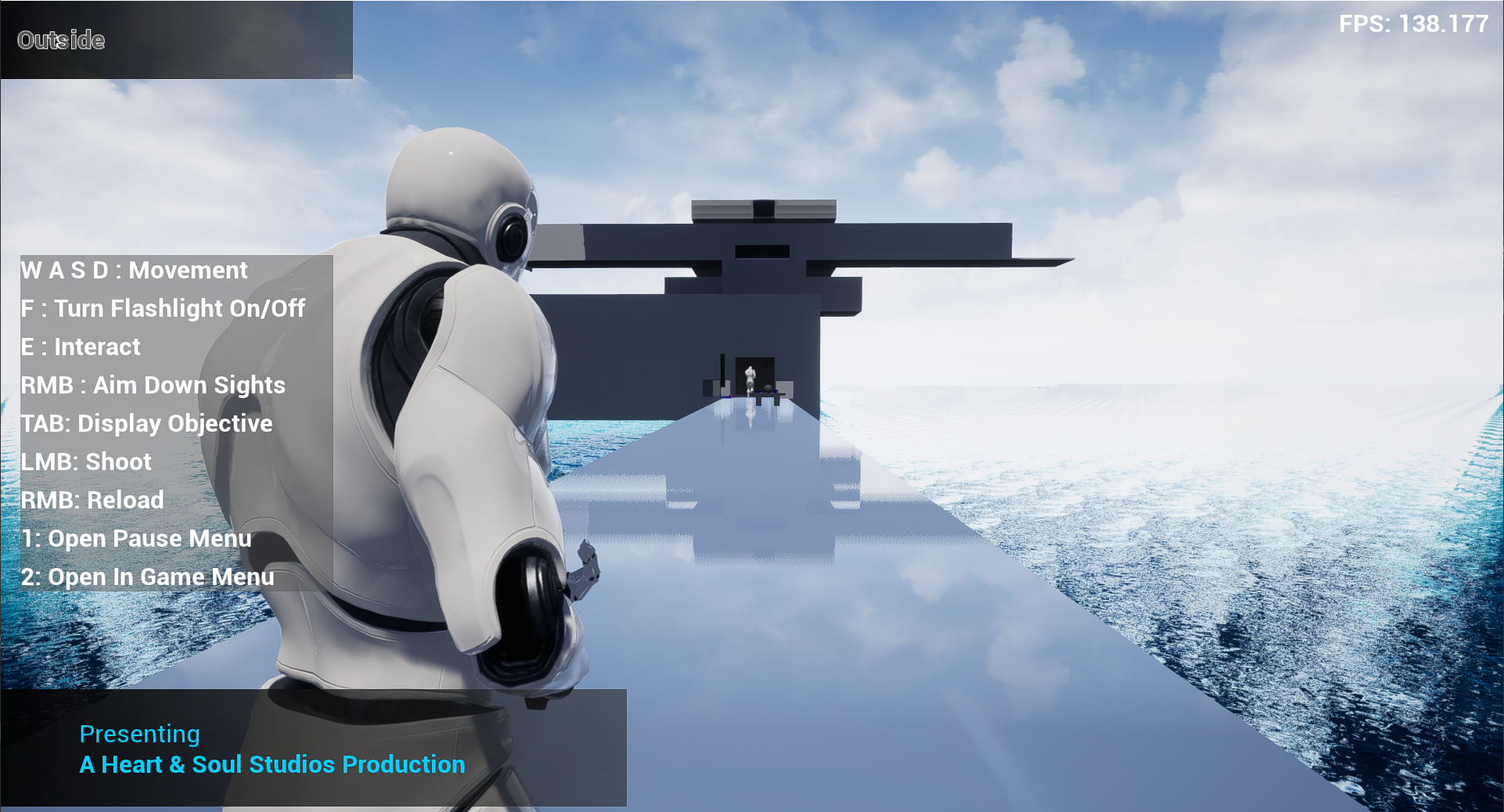
3rd Person Action Horror Game
Since 2020, I have been working on conceptualising and developing a prototype for a 3rd Person Action Horror Game. It’s influences are heavily rooted in Resident Evil and Dead Space, a combination of both Western and Japanese horror games. Conceptually, I am keeping it’s premise and intended context under wraps for now.
This project is in active development, though slowly. Many of the materials created for this project are external to the project, such as game design documents, planning, content creation etc. In contrast to the other solo projects shown on this website, this project has been kept going due to increased confidence provided by numerous factors that have manifested themselves in the last year.
This project was started as a medium for improving my overall programming skills whilst also learning as many areas of Unreal as possible. As many facets of the project as possible are being prototyped in Blueprints before being converted into raw C++ code.
In this video demo, there are many new mechanics showcased that are not present in my other projects that combine with mechanics I have prior experience with. The full list is as follows:
- Gameplay
- Character Based Gun/Shooting System
- Visibly, I have used models and animations externally sourced as a way of prototyping these features. These can be found on the Unreal Marketplace
- Raycasting for Hit Detection – Raycast is used to determine damaging functionality based on what it has hit
- Behind the scenes, there is a C++ based system that manages
- Ammo Counting
- Reloading Conditions
- Ammo Inventory Management
- Object Interaction
- 3 Main Types on show:
- Picking up Ammo – Goes into C++ Ammo Management
- Picking up Items – Goes into UMG/BP/C++ Hybrid Inventory Management/Visualisation
- Collecting Codex Items – Goes into UMG/BP Hybrid Codex System
- 3 Main Types on show:
- Inventory System
- Split into 3 distinct inventory types:
- Usable Item Inventory
- Key Item Inventory (Keys, Contextual Items etc)
- Weapon/Ammo Inventory
- All inventories are based on the same fundamental systems and extend them in their own unique ways
- These systems are represented graphically to the player through use of a UMG In-World Element tied to the player, much like the system in Dead Space
- Split into 3 distinct inventory types:
- Trigger Systems
- A set of trigger systems covering various aspects of the game, such as interaction fields, dialogue events, turning on/off lights and more.
- All systems inherit from a simple parent that holds all shared functionality
- AI
- Very basic implementation. Allows different AI types to move to dedicated, user defined waypoints
- Hit detection. When hit by the raycast of the player’s weapon, they will take damage. If dealt enough damage, the AI will die
- Flashlight Mechanic – Ability to turn a flashlight on and off. This is attached to the player inside it’s Blueprint
- Character Based Gun/Shooting System
- UI
- Player HUD
- Area Name Element – When a specific trigger is hit, this name will change to let the player know which area they are in
- Buttons Element – For demo purposes. Provides functionality info to watchers and users.
- Dialogue Elements – Currently, a Data Table driven widget that is activated by Dialogue Triggers in the world. Can be activated either upon entering or leaving the Trigger. Will eventually hold sound files to enable voice to play at the same time
- Ammo Collected Element – When the player picks up ammo, the type and amount are obtained and then displayed to the player
- Codex System
- A system that will allow pickups or special interactions in the environment to generate Codex entries. Currently, interactions in the environment change the currently displayed entry but future development will enable categories, more involved categorisation and menu movement
- Credits System
- A Data Table driven UI element that obtains information from a struct of strings that updates the text field of the element’s text block members every time the animation to make the current credit visible
- Simple Pause Menu – Placeholder UI Menu that takes control from the game to UI only to allow the player to exit the game (especially when run in a standalone .exe). Intended to allow for settings to be changed as the game is being played in the future
- Player HUD
- Planned/Future Features & Elements
- Gameplay
- AI – Multiple Enemy types & Bosses
- Object Interaction – Doors and MacGuffin based locks: Needing a key in the inventory in order to use a door, an object to complete a puzzle etc.
- Multiple Weapons
- NPCs – Non-enemy based NPCs, the extent of functionality is currently unknown
- Systems
- Save/Load
- 3D Map System – Much like the modern Doom games
- Achievement System
- Difficulties – A complete system of difficulty levels that, eventually, could be customised by the player
- Gameplay
While these are the only known planned elements there are likely more to come, as well as improvements to the current systems and mechanics prototyped.
Complimentary to the development of mechanics and systems, I have also worked with materials inside UE4 to create believable or interesting looking objects. In the demo, this is most prevalent in the water and hologram materials. It is mostly created through the use of tutorials and is an extension of knowledge I have obtained when working on projects prior to this one. As much, I am familiar with the Material Editor.
I am also working on learning the Niagara system in order to be able to understand how to create great VFX in my projects. My learning is being tailored to this project in order to apply it in an effective manner.

 Aaron Swiss-Hamlett